

Have you ever downloaded one of the latest guitar learning apps with a surge of excitement, only to find yourself bored and stuck weeks later? You’re not alone. The promise is huge: learn guitar from your phone, anytime, anywhere. But the reality often feels like hitting a brick wall.
You follow the glowing dots, you hit the notes, and you might even score three stars on a simplified version of a classic song. However, when you try to play that same song around a campfire or improvise a simple melody, you draw a complete blank.
It’s a frustrating cycle. You feel like you’re practicing, but your actual, real-world guitar skills aren’t improving. The app becomes another icon you ignore, and the guitar gathers dust in the corner once again. But what if the problem isn’t you? What if the app itself is designed to keep you stuck?
The Hidden Trap of “Gamified” Progress
Most modern apps are built on a single, powerful principle: gamification. They use points, streaks, badges, and leaderboards to keep you engaged. This works wonders for getting you to open the app every day. But is it actually teaching you to play the guitar?
For many, the answer is no. You’re learning to win a game, not understand an instrument. The app tells you to put your finger on the 5th fret of the B string. You do it, and a pleasant chime rewards you. You have successfully followed an instruction.
However, you don’t know why that note works. You don’t know it’s an E note. You don’t know how it relates to the C major chord you just played or that it’s the third degree of the C major scale. You’re essentially playing a high-tech game of Simon Says.
As a result, your knowledge is fragile. It’s tied completely to the visual cues on the screen. Take away the screen, and the knowledge disappears. This is why you can “100%” a song in an app but feel completely lost trying to play it from memory. The app taught you to copy, not to comprehend.
What If You Could See the Fretboard Instead of Just Memorizing It?
Most guitarists spend years guessing where to put their fingers. They memorize shapes without understanding why — and the second they try to improvise or learn a new song, they’re lost again.

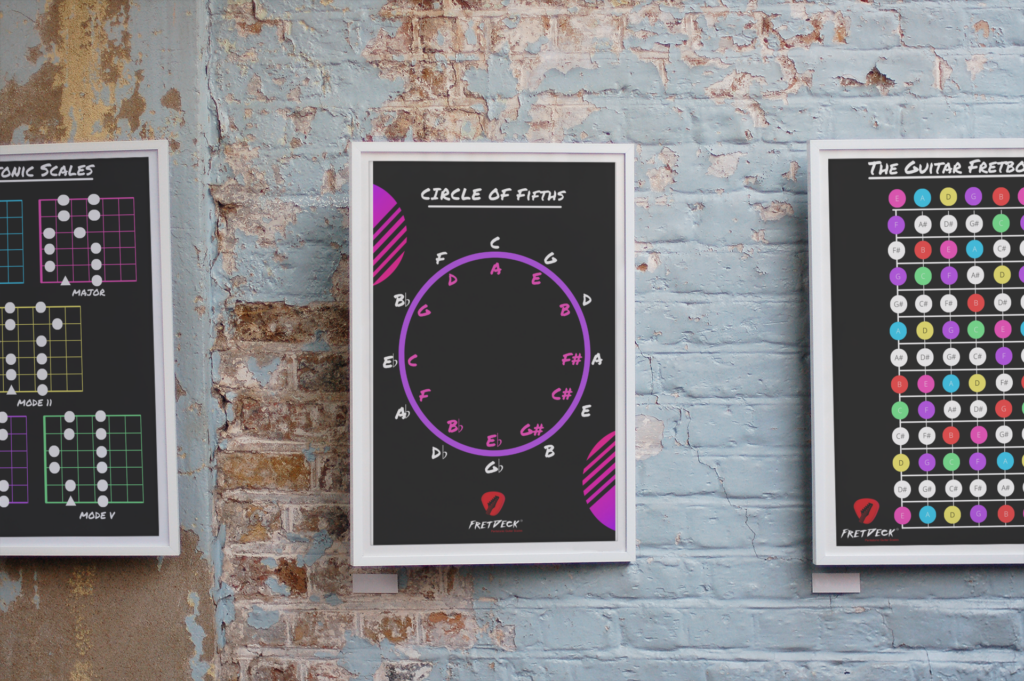
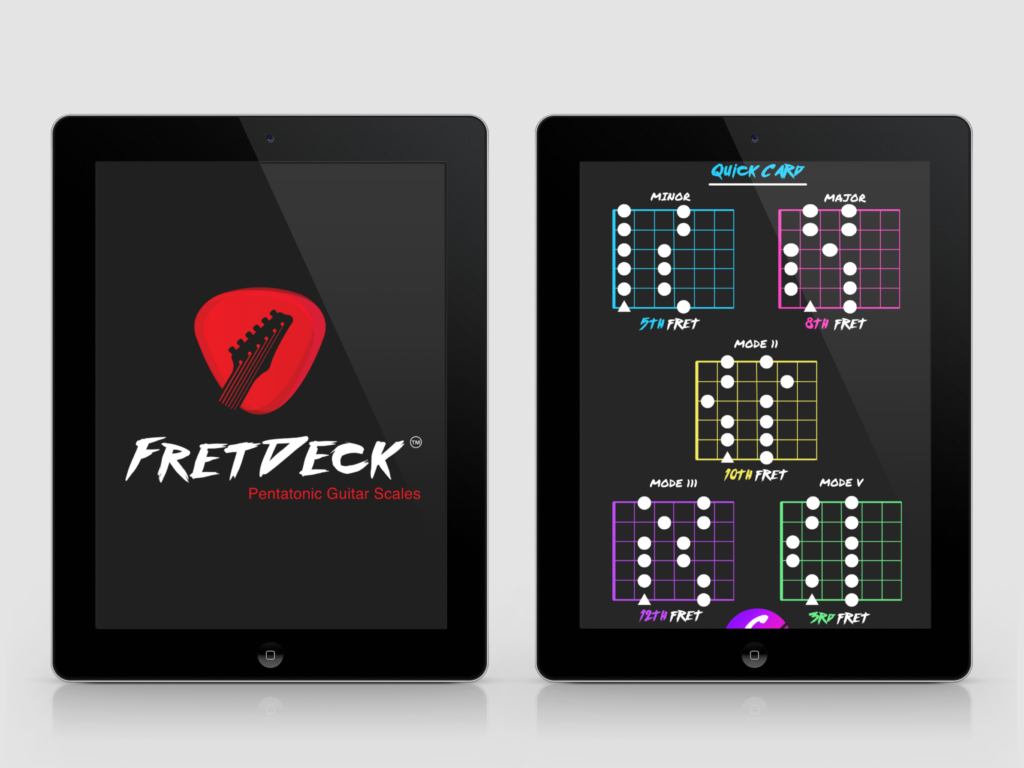
The FretDeck Practice Workstation changes that. It’s the interactive fretboard app that shows you exactly what to play, why it works, and how every note connects — so you finally understand the guitar instead of just copying tabs.
Whether you’re stuck in a rut, tired of noodling the same pentatonic box, or ready to unlock the entire neck — the FretDeck Practice Workstation gives you the visual roadmap to get there. All for just $14/month.
👉 Start Using the FretDeck Practice Workstation Now
Shifting From ‘What’ to ‘Why’
The breakthrough comes when you shift your focus from “what” note to play to “why” a note works. This is the difference between being a musician and being a glorified button-pusher. True musical freedom isn’t about memorizing thousands of songs; it’s about understanding the system behind them.
Think of the guitar fretboard as a map. Most apps just give you turn-by-turn directions to one specific destination. “Turn left at the 3rd fret, then go straight for two frets.” You get there, but you have no idea where you are or how to get anywhere else.
A better approach is to learn how to read the map itself. This means understanding basic music theory concepts and seeing how they lay out visually on the neck. When you understand that every major scale has the same pattern of intervals, you haven’t just learned one scale; you’ve learned twelve. That’s leverage.
This is where purpose-built tools shine. Instead of just showing you tabs, an interactive tool like the FretDeck Practice Workstation helps you visualize these patterns. Consequently, you start seeing the connections between chords and scales, finally unlocking the logic of the fretboard.
The Real Problem With Most guitar learning apps
So, what is the core issue? The real problem with most guitar learning apps is that they are designed as content libraries, not as teachers. They are a collection of songs, a digital metronome, a tuner, and perhaps a chord chart. These are useful tools, but they lack a crucial component: a structured, intelligent curriculum.
A great teacher doesn’t just throw information at you. They assess your current level, identify your specific weaknesses, and give you the single most important exercise to work on right now. They provide context and connect new ideas to what you already know. Most apps simply can’t do this.
Furthermore, they present you with a paradox of choice. You open the app and see a library of 1,000+ songs. Where do you even start? Should you learn a Zeppelin riff, a Taylor Swift chord progression, or that blues scale? Without a clear path, you jump between random lessons, making an inch of progress in a hundred different directions. Effective learning requires focused, sequential steps. You can read some of our beginner guitar tips to see how structure makes all the difference.
Therefore, you need to be smarter than the app. You must use it as a tool within your own structured plan, not as the plan itself.
What If You Could See the Fretboard Instead of Just Memorizing It?
Most guitarists spend years guessing where to put their fingers. They memorize shapes without understanding why — and the second they try to improvise or learn a new song, they’re lost again.
The FretDeck Practice Workstation changes that. It’s the interactive fretboard app that shows you exactly what to play, why it works, and how every note connects — so you finally understand the guitar instead of just copying tabs.
Whether you’re stuck in a rut, tired of noodling the same pentatonic box, or ready to unlock the entire neck — the FretDeck Practice Workstation gives you the visual roadmap to get there. All for just $14/month.
👉 Start Using the FretDeck Practice Workstation Now
Building a Practice ‘Stack,’ Not Relying on a Single App
No single app can solve every problem. The savviest players don’t search for one “magic bullet” app. Instead, they build a “practice stack”—a small collection of specialized apps that each do one thing exceptionally well. This is far more effective than a bloated, all-in-one app that is a master of none.
Your stack might look something like this:
- A “Why” App: A tool for visualizing theory, scales, and chords on the fretboard. This is your foundation for understanding the instrument.
- A “What” App: A tab player or song-learning app like Yousician or Ultimate Guitar. Use this to apply the theory you’ve learned to actual songs.
- A “How” App: A feedback tool. Apps like Fender Play listen as you play and tell you if you’re hitting the right notes at the right time.
- A “When” App: A simple metronome or drum loop app to develop your timing and groove.
By combining these different tools, you create a comprehensive learning system. You use the theory app to understand a concept, the tab app to find it in a song, the feedback app to check your accuracy, and the metronome to lock it in time. This integrated approach aligns perfectly with a best practice routine that covers all aspects of musicianship. Using a curated stack of guitar learning apps this way gives you control over your own progress.
5 Steps to Make Any Guitar App Work for You
Instead of blaming the tools, let’s learn how to use them correctly. Here’s a 5-step process to get real results from any of the guitar learning apps you use.
1. Audit Your App’s Purpose. Look at the app you use most. Is it a teacher (provides a structured path) or a toolbox (provides tabs and a metronome)? Be honest. This will determine how you use it. Use toolbox apps for reference, not for step-by-step guidance.
2. Focus on One Concept Per Week. Don’t jump between chords, scales, and songs randomly. Dedicate a full week to one single idea. For example, this week is all about the A minor pentatonic scale. Use your apps to find that scale, learn its shape, find songs that use it, and practice improvising with it over a backing track.
3. Connect Every Lesson to a Real Song. Never learn a technique in isolation. If you’re practicing hammer-ons, immediately find a song that uses them. The top charts on Guitar World are a great place to find inspiration. This crucial step bridges the gap between abstract exercises and making actual music.
4. Steal the “Why” and Apply It Elsewhere. When you learn a new chord progression in an app, don’t just memorize it. Ask why it works. Identify the key. Notice the relationship between the chords (e.g., I-V-vi-IV). Then, try to play that same progression in a different key. This is how you turn one lesson into a dozen. This is essential for mastering how to learn guitar scales and chords.
5. Use Feedback as a Diagnostic Tool. If an app tells you you’re consistently early or late, that’s valuable data. Don’t just try again. Open your metronome app and practice the passage at a painfully slow tempo. The app’s feedback isn’t a judgment; it’s a sign pointing to a specific weakness you need to isolate and fix. Ultimately, this makes your practice time more efficient.
Frequently Asked Questions
Are guitar learning apps better than a real teacher?
Not at all. The best guitar learning apps are an incredible supplement, but they cannot replace a human teacher. A teacher can spot subtle technique flaws, tailor a lesson plan to your specific goals and learning style, and provide motivation and accountability in a way an app simply can’t. Think of apps as your 24/7 practice assistant, and a teacher as your expert guide.
How much should I spend on a guitar learning app?
Prices vary from free to over $20/month. Instead of price, focus on value. A free app full of ads and unstructured lessons may cost you more in wasted time and frustration than a $14/month subscription to a focused, well-designed tool. Find an app that solves a specific problem you have and consider its cost relative to a single private lesson. Most are an incredible bargain.
Can I learn guitar using only free apps?
It is technically possible but extremely difficult. The main challenges with free apps are the lack of a structured curriculum, the constant interruption of advertisements, and the often-limited feature sets. You would need immense self-discipline to build your own learning path and sift through low-quality content. For most beginners, a modest investment in a quality, structured app saves hundreds of hours of frustration.
What If You Could See the Fretboard Instead of Just Memorizing It?
Most guitarists spend years guessing where to put their fingers. They memorize shapes without understanding why — and the second they try to improvise or learn a new song, they’re lost again.
The FretDeck Practice Workstation changes that. It’s the interactive fretboard app that shows you exactly what to play, why it works, and how every note connects — so you finally understand the guitar instead of just copying tabs.
Whether you’re stuck in a rut, tired of noodling the same pentatonic box, or ready to unlock the entire neck — the FretDeck Practice Workstation gives you the visual roadmap to get there. All for just $14/month.
👉 Start Using the FretDeck Practice Workstation Now
Related posts: